


IPTV Recharge: How to Renew Your Box Online, No Store Visit
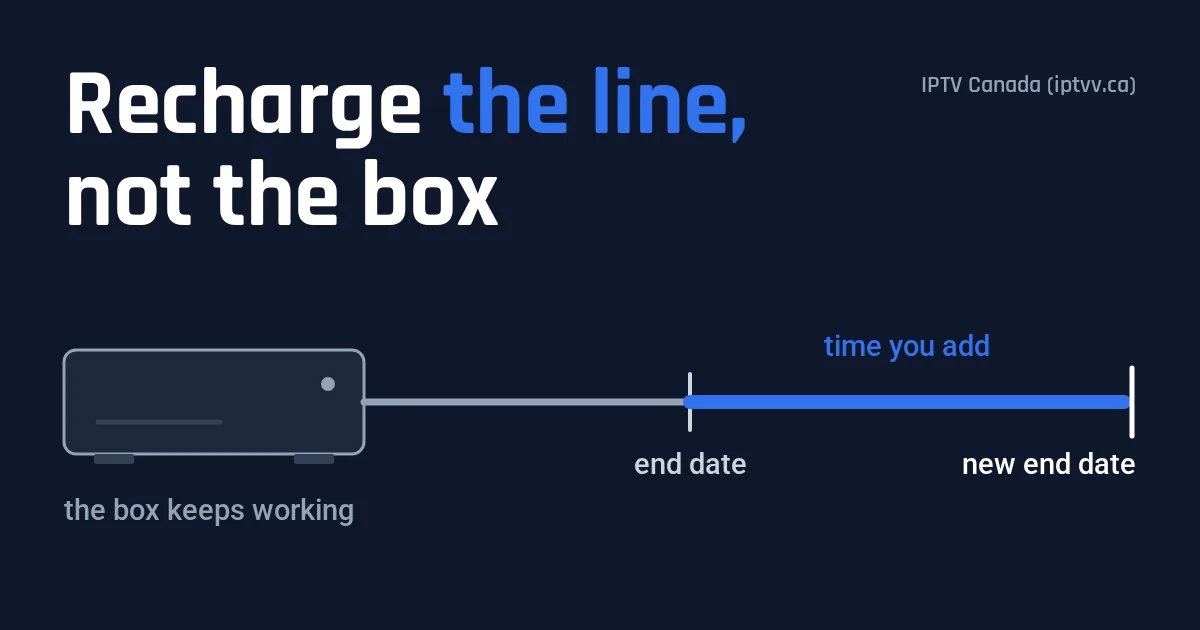
An IPTV recharge is the renewal of the subscription on your line, not a top-up for the box. The box is only the player, and it keeps working. With us, you recharge online in three steps: sign in to your account page, click Renew or extend, choose 1, 3, 6 or 12 months and pay. You keep the same login, nothing needs reinstalling, and you never visit a store.
We run IPTV Canada (iptvv.ca), and many people who find us are looking for a way to recharge a box they bought in a local shop. This guide explains what you are paying for, the renewal steps on our account page and our prices before tax. It also covers what to check before you pay and what to do if your box came with another seller’s service.
What Is an IPTV Recharge, Exactly?
An IPTV recharge adds time to your subscription line. “Recharge”, “renewal”, “extension” and “top-up” all mean the same thing: more days on the username and password your box uses.
Three separate things sit behind the picture on your TV, and only one of them expires:
| Part | What it is | Does it expire? |
|---|---|---|
| The box | The hardware plugged into your TV | No, you bought it once |
| The player app | The software on the box that lists and plays channels | Not with your TV subscription (some apps sell their own licence) |
| The subscription line | Your username, password and server address | Yes, on a set end date |
When a shop tells you to “recharge your box”, it means paying for more time on the line. The box itself has nothing to charge.
Why Does Your Box Stop Showing Channels When the Subscription Ends?
Your box stops showing channels because the line behind it stopped, not because the box broke. Once the end date passes, the server refuses your login, so the player has nothing to load.
You will usually see one of these:
- An “expired” or “account disabled” message when the app opens.
- An empty channel list, or categories that never finish loading.
- A login or authorization error on every channel.
None of these mean the box needs replacing. After a recharge on the same line, the channels come back with the same login. If you see these errors while your plan is still active, the cause is something else, and our guide to fixing IPTV that is not working walks through it.
How Do You Recharge IPTV Online With Us?
You recharge from your account page in three steps, from any phone or computer. Your username, password and server address stay the same, so there is nothing to change on the box.
- Open your account page and sign in with the email address you used for your subscription.
- On your subscription card, click Renew or extend, then keep the same length as your plan or pick a different one (1, 3, 6 or 12 months) on the pricing page.
- At checkout, in the field “Starting fresh, extending, or adding device?”, choose Extend Subscription, then pay. The payment options are shown at checkout, and your provincial tax is added there.
Once the payment is confirmed, the new end date appears on the same card. Then restart the player app on your box so it reads the new date.
Nothing is charged automatically, now or later. You choose each recharge and pay the price shown at renewal time. We set it up that way on purpose: the Canadian Anti-Fraud Centre warns about subscription traps that keep charging a card until the buyer cancels.
Should You Recharge IPTV Early or Wait Until It Expires?
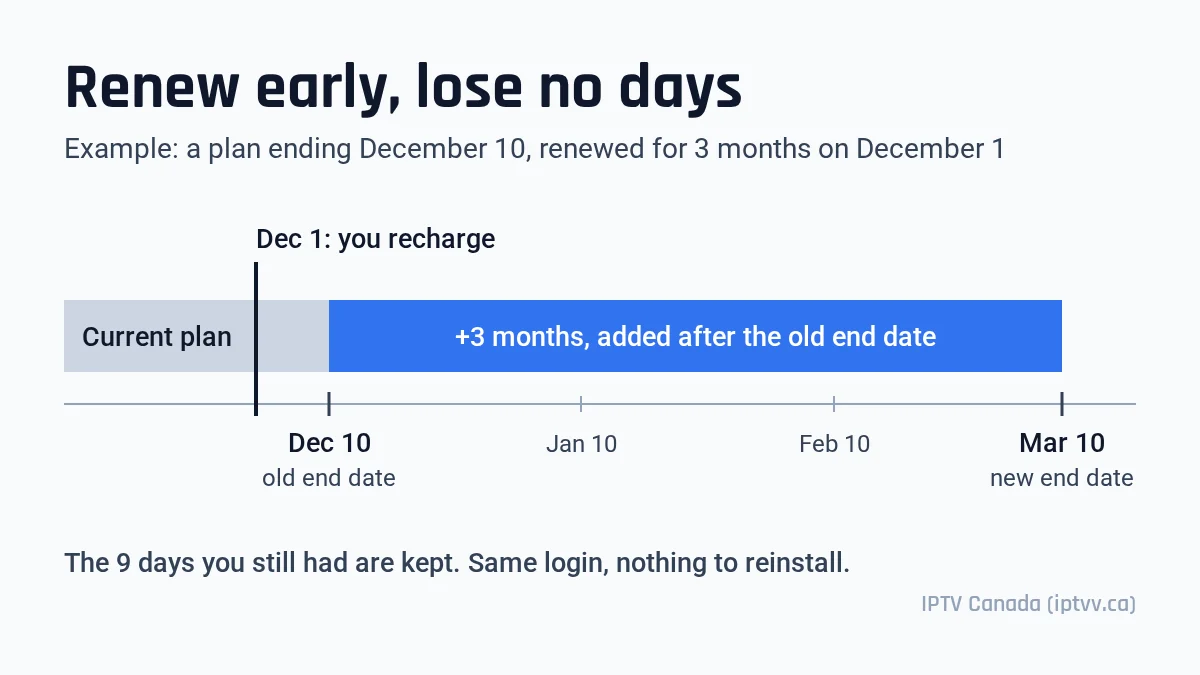
Recharge early if you like. The new months are added to your current end date, so you lose no days by paying ahead. If your plan ends on December 10 and you add 3 months on December 1, your new end date is March 10.
Your account page also shows a reminder once 7 days or fewer are left. Decide then, because once the end date passes, your channels stop until you recharge.
Extend or New Subscription: Which One Keeps Your Login?
Extending keeps your login. Click Renew or extend on the account page, then choose Extend Subscription at checkout. That adds time to the line you already have. A brand new subscription creates a separate line with a new username and password, which you would then have to type into the box. If you picked the wrong option, contact our support with your order number before you change anything on the box.
How Much Does an IPTV Recharge Cost?
An IPTV recharge with us costs from $19 for one month on one screen to $199 for 12 months on four screens, before tax. The price depends only on the number of screens and the length you choose.
| Screens | 1 month | 3 months | 6 months | 12 months |
|---|---|---|---|---|
| 1 | $19 | $29 | $49 | $79 |
| 2 | $29 | $49 | $89 | $129 |
| 3 | $39 | $69 | $119 | $179 |
| 4 | $49 | $89 | $129 | $199 |
Longer recharges cost less per month. On one screen, 3 months works out to $9.67 a month, 6 months to $8.17 and 12 months to $6.58, against $19 for a single month. In Quebec, where GST (5%) and QST (9.975%) are added at checkout, the 1-screen totals are $21.85, $33.34, $56.34 and $90.83.
On one screen, the 12-month plan at $79 costs $1 more than 6 plus 3 months ($78), so it only becomes the cheapest choice if you watch 10 months a year or more. Our 12 month IPTV subscription guide does the full math, and the pricing page always shows the current prices.
What Should You Check Before You Pay for a Recharge?
Check four things: the end date, the number of screens, the email on your account and the login on your box. Two minutes here avoids the usual mix-ups.
- End date. Your account page shows the end date and the days left. Even with weeks left, you can recharge now and lose nothing.
- Screens. Your plan includes a set number of connections, from 1 to 4. Using more at the same time can get the account blocked, so count the TVs and phones that watch at once. Our guide to IPTV on multiple devices helps you size it.
- Email. Extending works with the email of your existing subscription, so sign in with the address from your first order.
- Login details. Note the username, password and server address on your box, or use Email my details on the account page to get them again.
To get more screens while your plan is active, use Add devices on the same card. Each new device gets its own login, and your current devices keep working. Changing the screen count of the plan itself works differently: the amount already paid is not credited toward another plan. The simplest route is to finish your current period, then pick the right screen count at your next recharge, or ask support before you order.
Can You Recharge a Shop Box With Another IPTV Service?
Usually yes, if the box lets you install a player app, and no if it is locked to the shop’s own service. We cannot add time to a line another seller created, so switching to us means a new login from us, typed into your box.
First, find out which kind of box you have. An open box lets you install apps, and it plays IPTV through a player app where you type a username, password and server address, or paste a playlist link. Our guide to what an IPTV app does explains that part. A locked box runs one built-in service that only accepts its own recharge codes, usually a long string of digits, and it cannot take another service’s login.
If your box is open, switch like this:
- Find the player app. Open your channels the way you always do and read the app name on the screen. It is not your TV brand and not your internet provider.
- Start our 24-hour free trial from the button at the end of this page. It needs an email only, no credit card, and our guide to testing a trial lists what to check.
- Add the trial login as a new profile or playlist, and keep the shop’s profile until you are sure. Our installation guide shows where each field goes.
- Watch your usual channels in the evening, when home internet is busiest.
- If it plays well, buy a plan and enter the paid login. A paid order after a trial normally comes with its own login.
From then on, every recharge happens on our account page, and the box never has to go back to the shop.
IPTV Recharge Near Me or Online: Which Is Easier?
Online is easier for an IPTV recharge, because it takes a few minutes from your couch and you see the price before you pay. A local shop still helps if you want someone to set up a box in person.
| In a shop | Online with us | |
|---|---|---|
| When | Store hours | Any time, from any phone or computer |
| What you get | A code or a line from that shop | Time added to your existing login |
| Price | Set by each shop | Listed before tax, tax shown at checkout |
| Test first | Depends on the shop | 24-hour trial, email only, no credit card |
| Help after you pay | That shop | Our support team |
Wherever you buy, be wary of recharge codes sold by strangers on marketplaces or social media: they are hard to verify, and if one fails, you have no one to ask. Buy time only from the seller who runs your line, through a real checkout.
When Is a Box Too Old to Recharge?
A box is too old for an IPTV recharge when it cannot run a current player app smoothly. Age alone is not the test: a box that plays your channels without stuttering at 8 p.m. is worth keeping, whatever year you bought it.
These signs say it is time to replace the box:
- The player app no longer installs or updates on it.
- Menus lag, or the box restarts on its own with only one channel playing.
- Streams stutter on the box while a phone on the same Wi-Fi plays the same channel fine.
- It is a locked box, and nobody sells its recharge codes anymore.
Before you buy new hardware, try the screen you already own. Many smart TVs and streaming sticks can run a player app, and our guide to whether you need an IPTV box compares the options. The free trial is the cheapest test of any device: if it plays well for 24 hours, including an evening, that is a good sign.
What If the App Still Says Expired After Your Recharge?
Restart the player app first. An app left open can keep showing the old status until it logs in again.
- Close and reopen the player app.
- Reload or refresh the playlist in the app’s settings.
- Restart the box.
- Check your account page: the card should show the new end date.
If the box still says expired, check which option you chose at checkout. A new subscription appears as a separate order with its own login, so type the new username and password into the app. Still not working after an extension that shows the new date? Contact our support with your order number.
IPTV Recharge: FAQ
Does an IPTV recharge change my username and password?
No. Click Renew or extend on your account page, then choose Extend Subscription at checkout. The time goes onto the line you already have, so the username, password and server address stay the same. Only a brand new subscription comes with a new login, which you would then enter in your player app.
Can I still recharge IPTV after it has expired?
Yes. An IPTV recharge works on an expired line too: sign in to your account page, click Renew or extend, choose Extend Subscription at checkout and pay. You keep the same username and password, so nothing changes on the box. Once the payment goes through, the channels come back. If the app still says expired, restart it and reload the playlist.
Will my IPTV recharge happen automatically next time?
No. We never charge anything automatically. When your plan nears its end, you decide whether to recharge and for how long, and you pay the price shown at renewal time. If you do nothing, the line simply stops at the end date.
Do I need a recharge code to renew with you?
No. If you bought your plan from us, you renew online on your account page, and the time goes onto your existing login. There is no code to buy or type in. If your line came from a shop, that shop handles its renewals.
Can I add a screen when I recharge?
Yes, while your plan is active, with Add devices on your subscription card. Each new device gets its own login, and your current screens keep working. To change the screen count of the plan itself, finish the current period and pick the new count at your next renewal, or ask support first.
What if I forgot which email I used for my subscription?
Search your inbox for the order confirmation or the message with your login details, because that address is the one tied to your line. If you have your order number, the sign-in page can find the email for you. Otherwise, contact our support with your username so we can find the right account.
Is it safe to buy an IPTV recharge from a website I do not know?
Be careful. Pay only the seller that runs your line, through a real checkout that shows the price before you pay. Avoid codes from strangers on marketplaces or social media. We never ask for your password, so never send it to anyone who messages you first.