


IPTV on Multiple Devices in Canada: Sizing Guide 2026
Using IPTV on multiple devices in Canada comes down to one number: how many streams your household plays at the same time. You can install the app on every screen you own. What your plan limits is simultaneous viewing, and most Canadian households need only two connections. At IPTV Canada (iptvv.ca) that is $29 CAD for a month, or $129 CAD for a full year.
We run IPTV Canada (iptvv.ca) and process these orders daily, so we see the same mistake constantly: people buy four connections for a two-person home, or buy one and wonder why the bedroom TV stops when someone starts watching downstairs. This guide sizes it properly, with the real prices, so you buy once and get it right.
What Does “Devices” Actually Mean on an IPTV Plan?
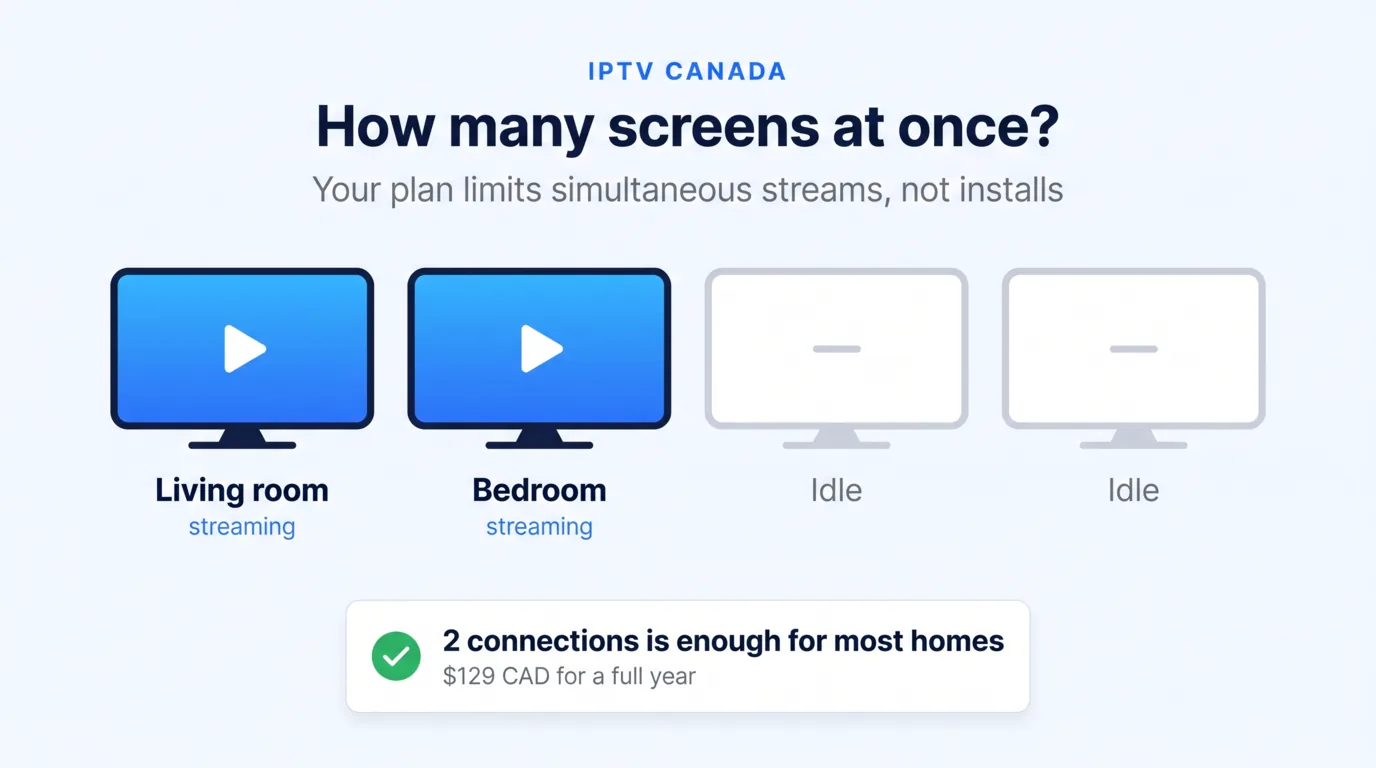
A device count means simultaneous streams, not installations. That single distinction clears up most of the confusion about running IPTV on multiple devices.
You can install your player app on the living room TV, the bedroom TV, two phones, a tablet and a laptop. All of them can hold your login. Nothing stops you. The limit applies only when screens play at once.
So a one-connection plan works perfectly for a household that never watches two things simultaneously, even with six devices set up. A two-connection plan lets two screens play together, in any combination, anywhere in the house.
A stream is counted while it is open, not while someone is actually watching. A paused screen or a TV left on in an empty room still holds its connection. That matters more than people expect, and it explains most “we are already at the limit” messages we get.
Providers use different words for the same thing: connections, streams, screens, or devices. When you compare services, check which one they mean. Some advertise “unlimited devices” while quietly limiting simultaneous streams to one.
How Many Connections Does Your Household Actually Need?
Most households need one or two connections, and families with children usually need three. Count the screens that realistically play at the same moment on a busy weeknight, not the total number of screens you own.
| Your household | Connections to buy | Why |
|---|---|---|
| One person, one main TV | 1 | You cannot watch two screens at once. Extra connections sit unused. |
| Couple, occasionally different rooms | 2 | Covers the evening when one watches sports and the other watches a series. |
| Family with children | 3 | Living room, plus a tablet or bedroom screen, plus headroom for a weekend. |
| Large or multi-generational home | 4 | Several rooms genuinely playing together, most evenings. |
| Home plus a cottage or second home | 2 or more | Two properties rarely watch at once, but they can, so leave a spare stream. |
Be honest about the busy hour. A household of four does not automatically need four connections, because people watch together. The number you want is the peak count of screens playing separate content simultaneously.
Here is a quick way to measure it. For three evenings, note how many screens are genuinely playing different things at 8 p.m. Most families discover the honest answer is two, occasionally three on a weekend. That short exercise is the most reliable way to size IPTV on multiple devices before you spend anything.
When in doubt, start one connection lower than you think. Adding a connection later is easy. Paying for an unused stream for a year is money gone.
What Does Each Connection Count Cost in Canada?
Connections are priced per stream, and the discount comes from the term you choose, not the number of screens. Here is the current IPTV Canada (iptvv.ca) ladder in Canadian dollars.
| Connections | 1 month | 3 months | 6 months | 12 months | Effective monthly on 12 months |
|---|---|---|---|---|---|
| 1 | $19 | $29 | $49 | $79 | about $6.58 |
| 2 | $29 | $49 | $89 | $129 | about $10.75 |
| 3 | $39 | $69 | $119 | $179 | about $14.92 |
| 4 | $49 | $89 | $129 | $199 | about $16.58 |
Two useful patterns show up in that table. First, the second connection costs less than doubling: $129 CAD a year for two streams, against $79 CAD for one. Second, the jump from three to four connections on a yearly term is one of the smallest steps on the ladder, so a growing family often takes it.
Notice also how the term does the heavy lifting. Four connections for six months costs $129 CAD, exactly what two connections cost for a full year. Whenever you weigh IPTV on multiple devices against a longer commitment, compare the effective monthly column rather than the sticker price.
Larger households can go beyond four simultaneous streams. Those options are not listed on the public plans page, so ask support before ordering and they will set it up.
For how these numbers compare with the wider Canadian market, our guide to IPTV cost in Canada covers the market bands in full.
Is One Plan With Extra Connections Cheaper Than Two Accounts?
One plan with extra connections is cheaper, and the gap is wider than most people assume. Buying two separate single-connection subscriptions always costs more than one plan sized for two streams.
Run the numbers on a monthly term. Two separate one-connection plans cost $19 CAD each, so $38 CAD in total. A single plan with two connections is $29 CAD. You save $9 CAD every month for the same two screens.
On a yearly term the gap grows. Two separate plans cost $79 CAD each, so $158 CAD. One plan with two connections is $129 CAD, saving $29 CAD a year.
The practical advantages matter just as much. One plan means one login, one renewal date and one conversation with support if something breaks. Two accounts mean two of everything, and inevitably one expires at the worst moment.
There is one honest exception. If the second screen lives in someone else’s home, that is not extra connections, that is account sharing, and it is against the terms. In that case they need their own subscription.
What Happens If You Go Over Your Connection Limit?
Nothing dramatic happens. The extra screen simply refuses to start, or the one that was already playing stops. You will not be charged extra, and your account is not suspended for trying.
The fix takes a minute: close the stream nobody is watching, or add a connection to your plan. A common cause is a screen left running in an empty room, which quietly holds a stream all evening.
Be aware of one important rule, because it is the exception that does get accounts closed. Sharing your login with people outside your household is not the same as using IPTV on multiple devices at home. Every honest provider treats account sharing as abuse, and ours suspends for it without a refund.
For the full Mbps table by resolution and why fast internet can still buffer, see our guide to internet speed for IPTV.
Do You Need Faster Internet for IPTV on Multiple Devices?
Yes, and the math is simple: each simultaneous stream needs its own share of your bandwidth. A typical HD stream uses roughly 5 to 8 Mbps, and a 4K stream typically needs about 25 Mbps.
So two HD streams together sit comfortably on a 25 Mbps connection. Three HD streams plus normal browsing want roughly 50 Mbps. If two people want 4K at the same time, plan for 50 Mbps or more.
Most Canadian home internet plans clear these numbers easily. Stability matters more than headline speed, though, and a wired connection to your main TV beats Wi-Fi every time. If streams stutter only when several screens play, bandwidth is usually the cause rather than the service.
Older routers are the other usual suspect. A router struggling with a dozen connected devices will throttle everything in the house, and no subscription can fix that from the outside.
Should You Buy Extra Connections Up Front?
No, buy what you need today. Connections are easy to add later, and prepaying for an unused stream is the most common way Canadian households overspend on IPTV.
The smarter order of operations is to test first, start small, then grow. Run the free 24-hour trial on the screens you actually use, buy one short month at the connection count you measured, and move to a yearly term once the household settles into a pattern.
One more reason not to overbuy: households change. A student moves out, a child gets their own tablet, someone starts working evenings. Yearly plans are excellent value, but only for the connection count you genuinely use for those twelve months.
If you want the full plan structure and billing detail before you commit, our guide to an IPTV subscription in Canada walks through it.
How Do You Set Up Several Screens?
You use the same login on every screen, and nothing special is required. Install a player app on each device, enter the same credentials, and each screen works independently.
There is no per-device setup fee and no separate account to manage. Device-by-device instructions for smart TVs, streaming sticks, phones, tablets and computers live in our setup guides.
Two practical tips for multi-screen homes. Build the favourites list on each screen separately, since the kids’ tablet and the living room TV rarely want the same channels. And wire the main TV if you can, because that is the screen where buffering annoys everyone at once.
Setting up IPTV on multiple devices takes about five minutes per screen, and you only do it once. After that, any screen in the house is ready whenever a connection is free.
IPTV on Multiple Devices: FAQ
How many devices can use one IPTV subscription?
You can install the service on as many devices as you own. What your plan limits is how many play at the same time, from 1 to 4 connections on the standard IPTV Canada (iptvv.ca) ladder. A two-connection plan is $29 CAD for a month or $129 CAD for a year.
Can two TVs watch different channels at the same time?
Yes, with two or more connections. Each stream is independent, so one screen can play a live channel while another plays something on demand. With a single connection, starting the second screen stops the first.
Does using more devices cost more?
Yes, connections are priced per simultaneous stream. On a yearly term the ladder runs $79 CAD for one connection, $129 for two, $179 for three and $199 for four. The term length is what earns the discount, not the number of screens.
How much internet speed do I need for multiple IPTV streams?
Allow roughly 5 to 8 Mbps per HD stream and about 25 Mbps for a 4K stream. Two HD screens run fine on 25 Mbps, while three HD screens plus browsing are comfortable at around 50 Mbps. Stability matters more than the headline number.
Can I share my IPTV account with family in another house?
No. Extra connections are for screens inside your own household, not for sharing a login with another home. Sharing an account outside your household leads to suspension without a refund, which is standard across honest providers.
Can I add a connection later?
Yes. Contact support and they will adjust your plan, so there is no need to overbuy at the start. This is why we suggest beginning one connection lower than you think you need.