


Internet Speed for IPTV in Canada: Mbps You Need (2026)
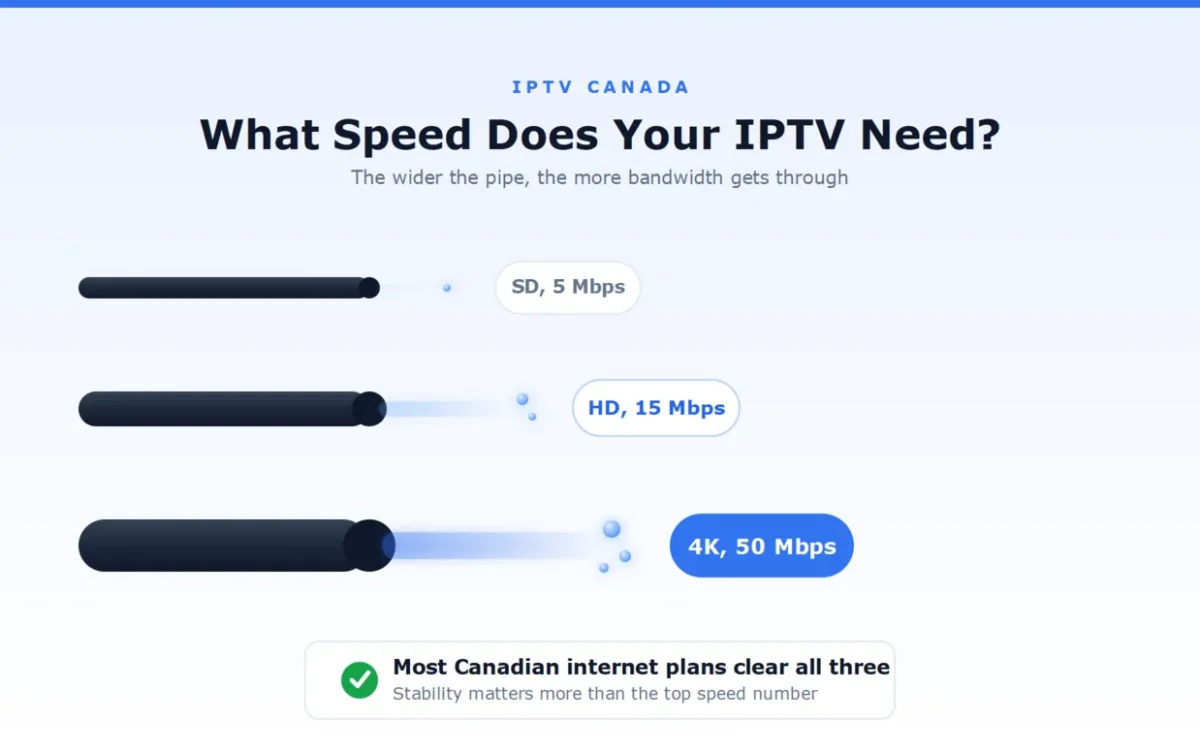
The internet speed for IPTV depends on what you watch: about 5 Mbps for standard definition, 15 Mbps for HD, and 25 to 50 Mbps for a stable 4K stream. Most home internet plans in Canada already clear these numbers, so speed is rarely the real problem behind a buffering screen.
We run IPTV Canada (iptvv.ca) and hear “my internet is fast enough, why does it still buffer” often enough to know the confusion is real. Speed and stability are two different things, and this guide separates them clearly, with the exact numbers for each resolution.
How Much Internet Speed Does IPTV Need?
The internet speed for IPTV runs roughly 5 Mbps for standard definition, 15 Mbps for HD, and 25 to 50 Mbps for 4K, per active stream. These numbers cover one screen watching one channel. Add more simultaneous streams and the numbers add up, not multiply, since each stream draws its own share.
| Quality | Minimum speed | Comfortable speed |
|---|---|---|
| SD (standard definition) | 3 Mbps | 5 Mbps |
| HD (720p to 1080p) | 8 Mbps | 15 Mbps |
| 4K (Ultra HD) | 25 Mbps | 50 Mbps |
The “comfortable” column matters more than the minimum. A connection sitting right at the minimum has no room for the normal dips every home network has, so the picture starts to soften or stall the moment something else on the network asks for bandwidth.
How Many Mbps Do You Need for Multiple Screens?
For multiple screens, add the speed each one needs rather than assuming one number covers the whole house. Two HD streams at once want about 30 Mbps combined, not 15. Three HD streams plus normal browsing sit comfortably around 50 Mbps.
A household mixing resolutions just adds the numbers together: one 4K stream plus one HD stream wants roughly 40 to 65 Mbps total. Our guide to IPTV on multiple devices covers how many simultaneous connections a household actually needs, which is the other half of this equation.
Does Wi-Fi or a Wired Connection Matter More?
A wired connection matters more than a faster Wi-Fi plan, especially for your main TV. Wi-Fi shares its bandwidth with every other connected device in the house and loses strength through walls and distance, so the same internet plan performs noticeably worse over Wi-Fi than over a cable.
If your TV sits far from the router, a wired connection to that one screen typically fixes more buffering than upgrading your internet plan does. When wiring is not practical, keeping the router close and unobstructed, and using the 5 GHz band instead of 2.4 GHz, closes most of the gap.
How Do You Test Your Real Internet Speed for IPTV?
Test your real internet speed on the exact device and connection you use for IPTV, not on a different device or your router’s advertised number. Run the test during the evening, when your household actually watches, since that is when the network is under its real load.
- Test on the TV, streaming device, or phone you actually watch on, connected the same way (Wi-Fi or wired).
- Test between 7 p.m. and 10 p.m. on a weeknight, the busiest stretch for most Canadian households.
- Run it twice, a few minutes apart, and use the lower result as your real number.
- If the result sits close to the minimum for your resolution rather than the comfortable number, that gap is often where buffering starts.
Why Does IPTV Still Buffer With Fast Internet?
IPTV can still buffer on fast internet because speed and stability are not the same thing. A connection can average 100 Mbps and still drop out for a second at a time, which is exactly long enough to stall a live stream. Common causes include an overloaded Wi-Fi band, an older router struggling with several connected devices, or your internet provider throttling video traffic during peak hours.
Our IPTV troubleshooting guide walks through fixing each of these step by step. This page answers the internet speed question for IPTV; the troubleshooting guide answers what to do when the speed is fine and it still buffers.
Does the Time of Day Change Your Internet Speed?
Yes, internet speed for IPTV often drops during peak evening hours, even when your plan and equipment have not changed. Every household on your street or apartment building shares the same local network capacity, and 7 p.m. to 10 p.m. is when the most people are streaming, gaming, and video calling at once.
This is why a speed test taken at 2 p.m. can look perfect while the same connection struggles at 8 p.m. If buffering only happens in the evening, the honest fix is rarely a faster plan. It is usually a wired connection to your main TV, or moving background downloads and other streams off the network during that window.
What Internet Plan Should You Choose for IPTV?
Choose an internet plan rated at least 50 Mbps if your household streams in HD on more than one screen, or wants 4K on any screen. That single number covers almost every Canadian household’s real usage with room to spare, without paying for speed you will never use.
A single-person household watching mostly HD can comfortably run on a 25 to 30 Mbps plan. A family with several screens, or anyone watching 4K regularly, is better served by 50 Mbps or more. Beyond that, more speed stops improving your picture and only adds a bigger monthly bill for internet speed your IPTV was never going to use.
Internet Speed for IPTV: FAQ
What is the minimum internet speed for IPTV?
The practical minimum is about 3 Mbps for standard definition and 8 Mbps for HD. Below these numbers, expect regular buffering. For a comfortable margin rather than a bare minimum, aim for 5 Mbps and 15 Mbps.
How much internet speed do I need for 4K IPTV?
4K IPTV needs 25 Mbps as a working minimum and 50 Mbps for a comfortable, stable stream. 4K uses far more data per second than HD, so the gap between minimum and comfortable matters more here than at any other resolution.
Can I use IPTV with 10 Mbps internet?
Yes, for standard definition and most HD content, though a demanding HD stream may occasionally soften. 10 Mbps is not enough for reliable 4K, and it leaves little room for a second screen watching at the same time.
Does IPTV use more data than regular streaming?
No. IPTV uses the same amount of data per hour as any other video streaming at the same resolution and bitrate. The technology delivering the picture does not change how much data that picture requires.
Why does my IPTV buffer even though my internet speed test looks fine?
A speed test measures your connection for a few seconds, while a live stream needs that speed held steady for hours. Short dips that a speed test never catches are often the real cause, along with Wi-Fi congestion or an older router. Our troubleshooting guide covers the fixes in order.
Is fibre internet better than cable for IPTV?
Fibre is typically more stable than cable at the same advertised speed, since fibre connections are less affected by neighbourhood usage at peak hours. Either one works well for IPTV as long as the real, tested speed meets the numbers above.