


IPTV EPG Explained: The TV Guide That Makes IPTV Feel Like Cable
IPTV EPG Explained: How the TV Guide Works and Why It Matters
An IPTV EPG is the on-screen TV guide that turns a long list of live channels into an organized, cable-style experience, showing you what is on now, what is coming up next, and what is scheduled for the days ahead. If you have ever opened a streaming app, seen hundreds of channels, and had no idea what was actually playing, the EPG is the feature you were missing. In this guide we explain what an EPG is, how it works on IPTV, why it matters for everyday viewing, how to set it up, and how to fix a missing or wrong guide so your IPTV tv guide stays accurate.
If you are streaming from Canada, having a reliable IPTV Canada service with an accurate EPG makes the experience smoother.
IPTV (Internet Protocol Television) is television delivered over your internet connection instead of through cable or satellite lines. Whether you are new to streaming or switching from cable, understanding the EPG helps you get the most out of an IPTV with EPG service. It is the difference between endless scrolling and instantly finding the game, the movie, or the news you want to watch.
What Is EPG? The Electronic Program Guide Defined
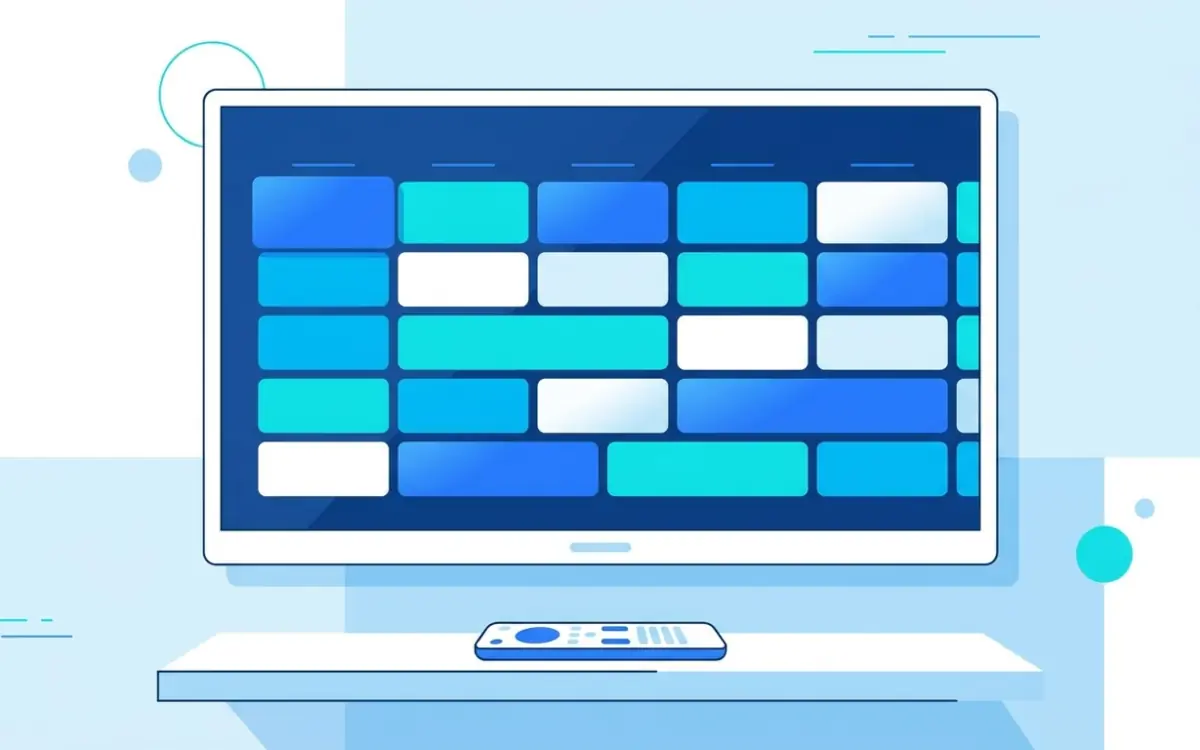
An EPG is a digital schedule of programming for every channel in your lineup, displayed as a scrollable grid on your screen. So what is EPG in plain language? EPG stands for Electronic Program Guide. Think of it as the modern version of the printed TV listings that used to arrive with a newspaper, except it updates automatically and lives right inside your app.
A good electronic program guide gives you several things at a glance:
- Now and next: what is currently airing on each channel and what follows it.
- Multi-day schedules: programming for the next several days so you can plan ahead.
- Program details: titles, start and end times, categories, and often a short description.
- A grid layout: channels down one side, time slots across the top, just like a classic cable guide.
On IPTV, the EPG is what makes a large channel list feel familiar and easy to navigate. Without it, you would be flipping blindly through channels hoping to land on something good. With it, your service feels like premium cable, only more flexible.
How Does an IPTV EPG Actually Work?
An IPTV EPG works by matching schedule data to each of your live channels, loading listings for the current day plus several days forward, and refreshing automatically at regular intervals so now-playing and upcoming times stay current. Behind the scenes, an IPTV tv guide is built from schedule data that is matched to each of your live channels. The process is simple to understand even if you never touch the technical side:
- Channel data is delivered alongside your live streams when you log in to a compatible app.
- Schedule information is loaded for each channel, usually covering the current day plus several days forward and sometimes a day or two back.
- The app matches the guide to your channels so the right listings appear next to the right stream.
- The guide refreshes automatically at regular intervals, keeping now-playing and upcoming times current.
The guide data is time-zoned, which matters a lot in a country as wide as Canada. A properly configured EPG shows program times in your local time so an evening show reads as evening on your screen, not several hours off. When everything is set up correctly, you simply open the guide, scroll, and watch. The heavy lifting happens quietly in the background.
Why Does the EPG Matter for Everyday Viewing?
The EPG matters because it replaces the cable-style grid your household already knows, cuts channel-hunting across thousands of live channels from minutes to seconds, and shows multi-day start times so you never miss a live event. The EPG is easy to take for granted until it is missing. Here is why a reliable guide makes such a difference day to day.
It replaces the cable experience you are used to
People switching away from a traditional TV box expect to browse a grid, see what is on, and pick a channel. A strong EPG delivers exactly that, which shortens the learning curve for the whole household. If you are exploring how to watch TV without cable in Canada, the guide is often the feature that makes the switch feel effortless.
It saves time and reduces frustration
With thousands of live channels available, blind scrolling is slow. The guide lets you filter by category, jump to a time slot, and find live sports, news, movies, or kids programming in seconds instead of minutes.
It helps you plan around live events
Live sports such as hockey, basketball, baseball, soccer, and cricket run on tight schedules. A multi-day EPG lets you see start times in advance so you never miss the opening minutes of a match or a big broadcast.
It makes a big channel list usable
A large lineup is only valuable if you can navigate it. The EPG is what turns a wall of channels into a browsable, organized experience the entire family can use.
IPTV With EPG vs No Guide: A Quick Comparison
An IPTV with EPG service lets you browse a grid, filter by category, read program descriptions, and see start times days ahead, while a service with no guide leaves you scrolling blindly through channel names with zero forward visibility. The table below shows why choosing an IPTV with EPG service is worth prioritizing when you compare providers.
| Experience | IPTV With a Working EPG | IPTV With No Guide |
|---|---|---|
| Finding a channel | Browse a grid, filter by category | Scroll blindly through a long list |
| Live sports timing | See start times days ahead | Guesswork and missed kickoffs |
| Program info | Titles, times, and descriptions | Channel name only |
| Household usability | Cable-like, easy for everyone | Confusing for casual viewers |
| Planning ahead | Multi-day schedule at a glance | No forward visibility |
A quality service pairs its channel lineup with an accurate guide, so you get both the content and the tools to enjoy it. When you review the channels you get with IPTV in Canada, an accurate EPG is what makes that full lineup genuinely easy to use.
How Do You Set Up Your IPTV EPG?
You set up an IPTV EPG by installing a compatible app, signing in, letting the channels load fully, and confirming your time zone; with most modern services, including IPTV Canada (iptvv.ca), the guide loads automatically within a minute or two of first login. Here is the general path on the popular devices people use, including smart TVs, streaming sticks, Android TV boxes, phones, and tablets.
- Install a compatible app on your device and sign in with the details provided when you subscribe.
- Let the channels load fully. The first login pulls your lineup and the matching guide data, which can take a minute.
- Open the guide or TV guide section in the app to see the grid of channels and program times.
- Set your correct time zone in the app settings so program times match your local clock.
- Enable automatic guide updates if the option exists, so listings refresh on their own.
Because most services deliver the guide with the channels, you rarely need to add anything by hand. A stable internet connection of around 25 Mbps for HD keeps both your streams and your guide loading smoothly. For a full walkthrough on any device, our step-by-step setup tutorial covers the exact taps for smart TVs, sticks, boxes, phones, and tablets.
How Do You Fix a Missing or Wrong IPTV TV Guide?
You fix a missing or wrong IPTV tv guide by checking your internet connection, fully closing and reopening the app, refreshing the EPG from settings, and correcting your time zone; these four steps resolve most blank guides and wrong program times in under five minutes. Sometimes the guide is blank, incomplete, or showing the wrong times. The good news is that most EPG problems have simple fixes. Work through these steps in order.
The guide is completely empty
- Check your internet connection. The guide needs to download data, so a dropped connection leaves it blank.
- Fully close and reopen the app so it reloads the channel and guide data from scratch.
- Refresh or reload the EPG from the app settings if there is a manual refresh option.
Program times look wrong
- Set the correct time zone in both your device settings and the app settings.
- Turn off any manual time offset unless you specifically need one for your region.
Only some channels show a guide
- Wait for a full refresh. Guide data sometimes loads in stages, so missing listings can fill in after a few minutes.
- Restart the device to clear temporary memory issues that block the guide from matching every channel.
The guide keeps freezing or lagging
- Clear the app cache from your device settings so a stale file is not slowing things down.
- Reduce network strain by pausing large downloads on other devices while you stream.
If channels themselves buffer while the guide loads, the issue is usually the connection rather than the EPG. Our guide on how to fix IPTV buffering and playback problems walks through the network and app fixes that clear up both playback and guide issues at once. When a service includes 24/7 support, a quick message to the team can also confirm whether a guide problem is on your end or theirs.
What Should You Look For in an IPTV Service With a Great EPG?
Look for accurate time-zoned listings, multi-day coverage, and automatic updates, backed by a service with thousands of live channels, a big 4K on-demand library, no contract, month to month billing, use on up to 4 devices, and 24/7 support. Not every guide is created equal. When comparing providers, use this checklist to judge the quality of the electronic program guide and the service around it.
- Accurate, time-zoned listings that match your local clock without manual tweaking.
- Multi-day coverage so you can plan around live events and scheduled programming.
- Automatic updates that keep now and next times current without extra steps.
- Broad device support across smart TVs, streaming sticks, Android TV boxes, phones, and tablets.
- A large, well-matched lineup with thousands of live channels and a big 4K on-demand library.
- Flexible terms such as no contract, month to month billing, and use on up to 4 devices.
- Reliable help in the form of 24/7 support when a guide or stream question comes up.
A guide is only as good as the service behind it. Pairing an accurate EPG with a strong channel lineup, dependable streams, and responsive support is what makes daily viewing genuinely enjoyable.
Try an IPTV Service With a Full TV Guide
If you want the cable-style experience without the cable bill, IPTV Canada (iptvv.ca) brings thousands of live channels, a large 4K on-demand library, and an accurate IPTV EPG together on the devices you already own. There is no contract, billing is month to month, you can watch on up to 4 devices, and 24/7 support is there when you need it. Around 25 Mbps is enough for smooth HD streaming, and the guide loads automatically once you sign in.
Ready to see it in action? Start your free trial and browse the full TV guide for yourself, or compare plans on our pricing page to pick the option that fits your household. If you are interested in offering IPTV to others, our reseller program is a simple way to get started.
Frequently Asked Questions About IPTV EPG
What does EPG stand for on IPTV?
EPG stands for Electronic Program Guide. On IPTV it is the on-screen TV guide that shows what is playing now, what is on next, and the schedule for the days ahead, displayed as a grid of channels and time slots.
Do I need to set up the EPG myself?
Usually not. Most modern IPTV apps load the EPG automatically when you sign in and the channels finish loading, typically within a minute or two. You may only need to set your correct time zone so program times match your local clock.
Why is my IPTV tv guide empty or missing?
A blank IPTV tv guide is almost always a loading or connection issue. Check your internet, fully close and reopen the app, and use any refresh or reload EPG option in the settings. A quick device restart often fixes guides that only load for some channels.
Why are the program times wrong in my guide?
Wrong times in an IPTV EPG are typically a time zone problem. Set the correct time zone in both your device and the app, and turn off any manual time offset unless your region specifically needs one.
Does an EPG work on all devices?
A good IPTV with EPG service works across smart TVs, streaming sticks, Android TV boxes, phones, and tablets. As long as your app is compatible and signed in, the guide appears on each device you use.
How much internet speed do I need for smooth streaming and a working guide?
Around 25 Mbps is comfortable for HD IPTV streaming, and that same connection loads the EPG data quickly. A stable connection matters more than a very high speed for keeping both playback and the guide running smoothly.
Can I plan around live sports with the EPG?
Yes. A multi-day IPTV EPG lets you see start times in advance for live sports like hockey, basketball, baseball, soccer, and cricket, so you can catch events from the opening minute.